Z690P BIOS recovery

Story
Got a ASUS Prime Z690P D4 motherboard, GPU 3090 works only in PCIe 3.0 x 16 when plugged in PCIE slot 1 (PCIe 5.0 of CPU) and the Windows 11 desktop slugged and crashed with some error. Then I try to upgrade the firmware to latest with EZ flash, but it crashed at the progress update AREA 1. and then the screen turned black and then it reboot and didn't worked again. I tried the official method that flash it with USB firmware, didn't work, nothing happened when I plugged in the USB flash with a BIOS cap file in it. So I try to flash the ROM with the AsProgrammer. Cause there is some problem with my AsProgrammer, I flash only some part of the ROM, but then the USB flash just worked, yeah, the official method worked then. I think maybe the backup BIOS 2 recognized the broken BIOS 1 after I flash the half part.
Pre
- 1 x Device with MacOS / Windows
- 1 x AsProgrammer
- flashrom(brew install falshrom)
- UEFITool_NE
Steps
Download BIOS file from ASUS official site
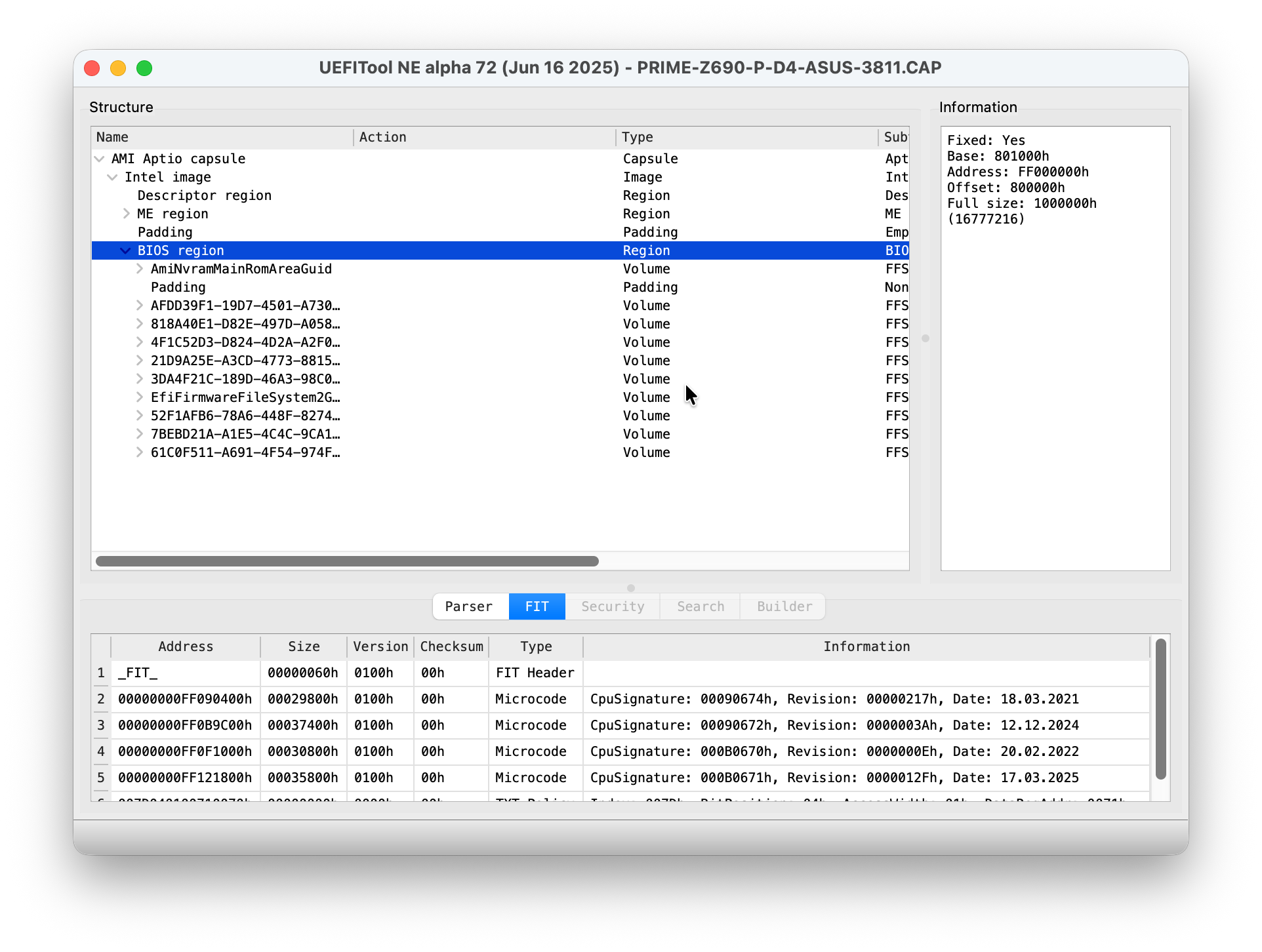
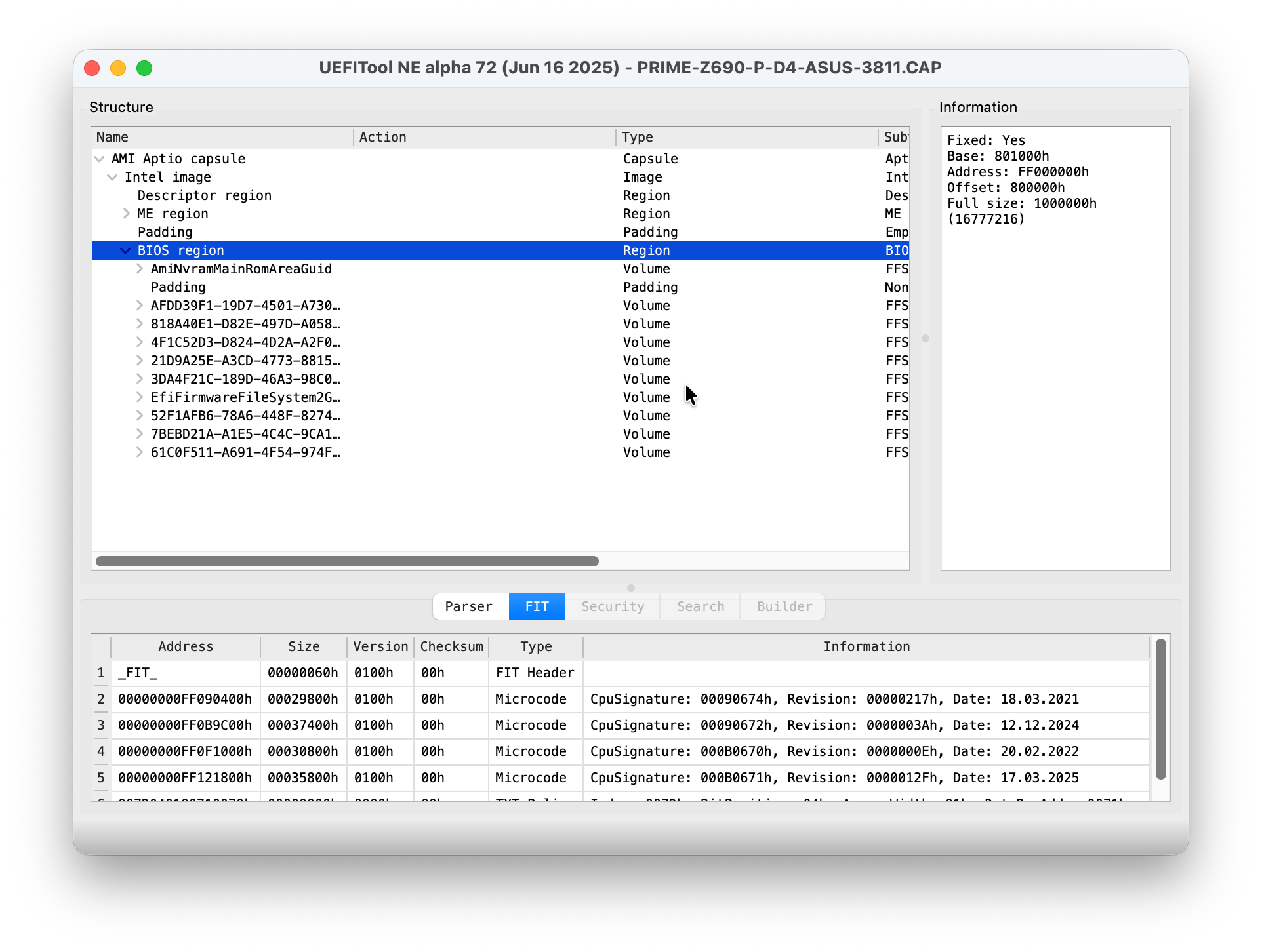
Extract bin file from BIOS CAP file 使用UEFITool_NE打开上一步中下载的CAP文件,点击展开AMI Aptio Capsule,定位到BIOS Region,右键Extract as is,保存为bios.bin文件,大小应该是16MB,在macOS中显示为16.8MB 16,777,216 bytes (16.8 MB on disk)。 ![[Pasted image 20260113140903.png]]
Ensure the motherboard is fully discharged.
Connect the asprogramer to PC/MacBookPro, another end connect to the BIOS chip in the motherboard, the 128Mit one instead of the 64Mbit one. From the print code in the chip, you can see Winbond or MXIT. To verify its the correct one, you can also see the size of the bad.bin size in step 5.
Read current BIOS ROM and backup it
sudo flashrom -p ch341a_spi
sudo flashrom -p ch341a_spi -r bad.bin -c "MX25L12835F/MX25L12873F"
Flash in the bin file in step 2 with flashrom
sudo flashrom -p ch341a_spi -w ./Tools/BIOS.bin -c "MX25L12835F/MX25L12873F"